Cleaning a list of numbers
Screen: Cleaning the number base, address /tools/clear.
You give the tool a list of numbers; it gives back the same list split into three — the ones worth sending to, the ones that are not, and the ones it could not decide about. It is charged per number, and it sends nothing to anyone.
Starting a cleaning
The work is started in a side panel, opened by the button with the plus. At the top of the panel there is a note with the price per number.
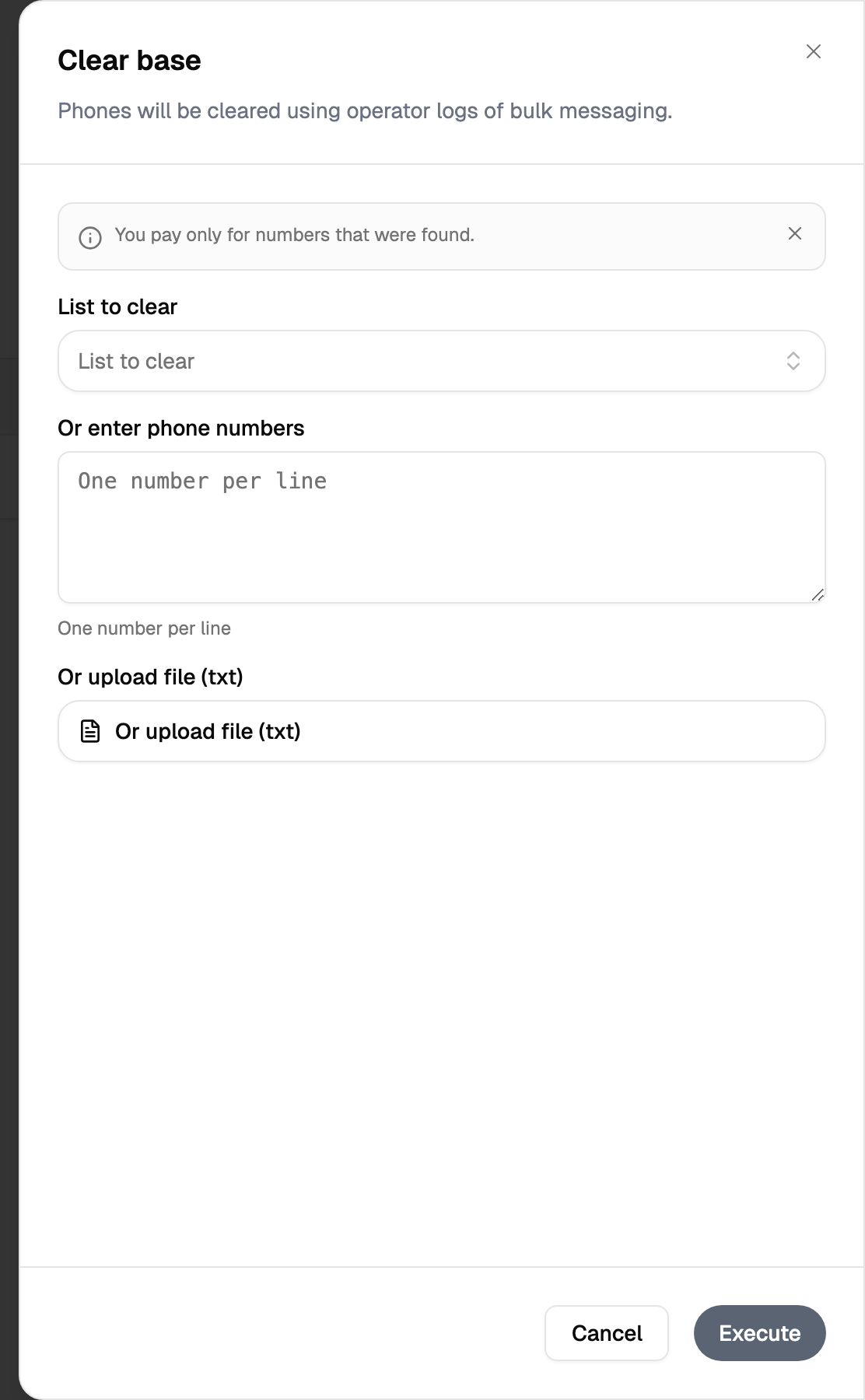
There are three sources of numbers, and exactly one of them is used at a time.
| Source | How it works |
|---|---|
| By hand | The numbers are typed into the large field |
| A saved list | An address book picked from the list by name |
| A file | A .txt file |
Filling in one source switches the other two off on the spot, so the source you filled in is the one that is used. The file is uploaded the moment you pick it, before the work itself starts: the button then shows the file name, and the cross next to it removes the file again.
The panel does one thing — it starts the cleaning. Press the execute button and the panel closes.
The panel closes as soon as the cleaning starts, and the row shows up in the history in a starting state. Counts and download links appear when the work is finished, so come back to the screen a little later.
Reading the result
The screen is a list of everything you have cleaned, and the whole history is on it at once.

| Column | What it holds |
|---|---|
| Date | When the cleaning was started |
| Status | In progress, done, or an error with its text in place of the badge |
| Good | Numbers that came back live and worth sending to |
| Bad | Numbers that came back dead: switched off, out of reach, not worth paying for |
| Unknown | Numbers the operator gave no clear answer about |
| Price | What the cleaning cost, in your currency |
The counts in the good, bad and unknown columns are not just figures — each one is a download. Clicking it saves that group as a CSV file named by the date, the number of the cleaning and the group. That is how the cleaned lists come out, and it works on rows that have finished; a row still in progress or in error shows a dash instead.
A number in the unknown column is not a verdict. It means the check produced no answer, not that the number is dead — deciding what to do with that group is your call, and it is the group people most often mistake for "bad".
How this differs from the HLR check
Both look numbers up, and they are still different tools with different outcomes.
| HLR check | Cleaning | |
|---|---|---|
| Where | /tools/hlr | /tools/clear |
| Sources of numbers | Typed numbers or an address book | Typed numbers, a saved list or a .txt file |
| What comes back | A cost breakdown by country and operator | Three groups of numbers |
| What you take away | The breakdown on the screen | A CSV per group |
| The history | Filtered by period, split into pages | The whole history at once |
| The cost | A button counts it before you start | The price per number is in the panel |
The short version: the HLR check answers "what does the operator say about this number right now", cleaning answers "which of these numbers are worth keeping in my base".
Where the charge shows up
The money side of cleaning is in the financial report, screen Financial report, address
/finances/report — one line per cleaning, in the credit column, with the time it happened.
Limits, prices and the set of available options are tuned to your account. This documentation gives the meaning rather than the figure: the current value is always shown on the screen, next to the field it applies to.