How the contact base works
Screen: Address book, address /address-book.
One word for one thing
The interface uses several words for the same objects. This documentation uses two, and only two.
- An address book is a list of contacts. It has a name, columns and rows.
- A group is an address book nested inside another one.
Two words cover everything on this screen: a group is an ordinary book that has a parent, and it holds contacts of its own.
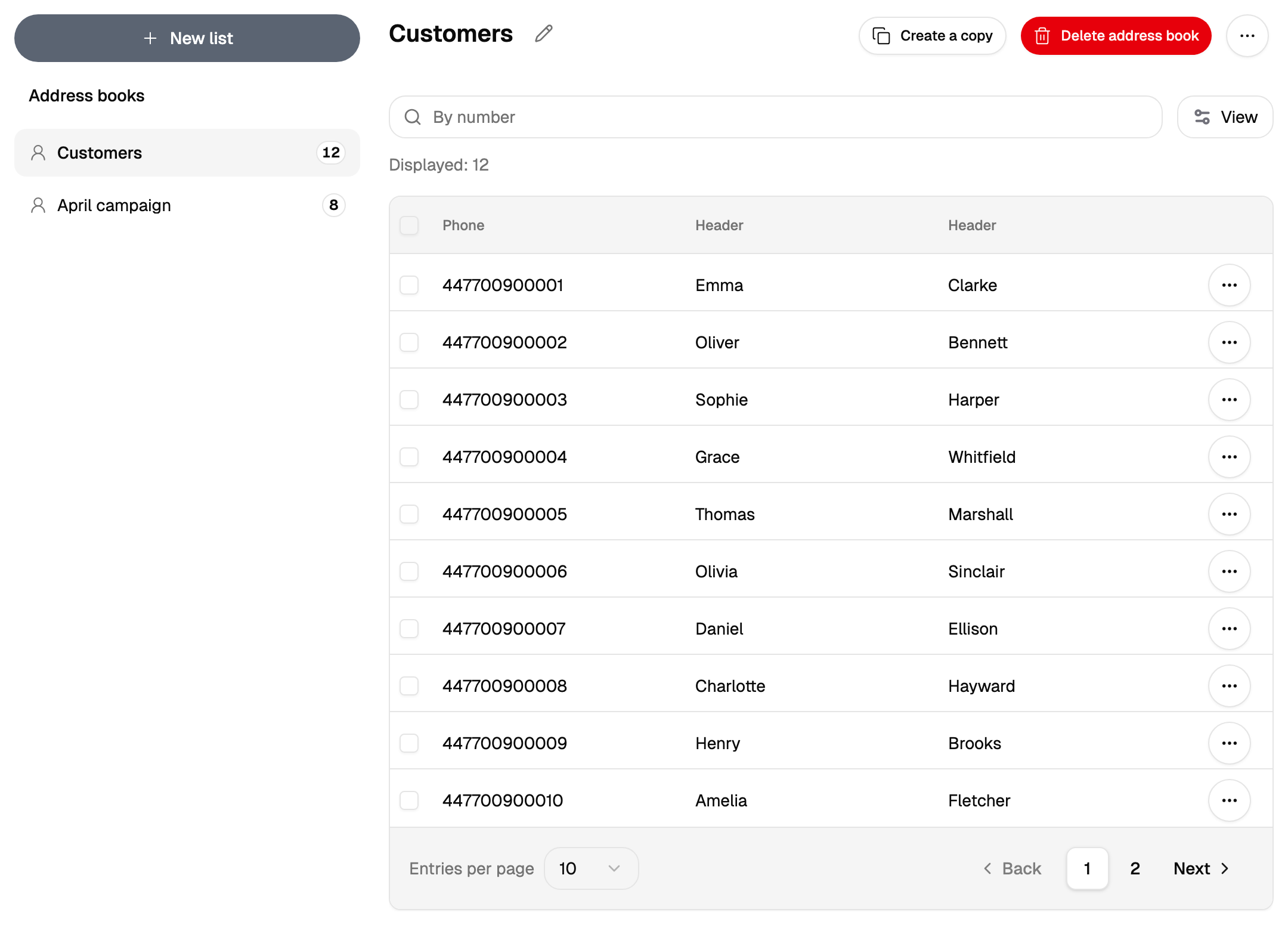
The screen is split: the tree of books on the left, the contents of the selected one on the right.
What each counter counts
For the same group you can see three different numbers, and all three are correct — each one counts something of its own.
| Where | What it counts |
|---|---|
| Next to the book in the tree | The contacts of that book itself |
| In the table on the right | The rows currently loaded and filtered |
| In a campaign over that book | Everything in it and in everything nested inside it |
The third one is worth remembering: choosing a parent in a campaign takes the nested groups with it, while the counter in the tree speaks for the parent alone.
The final figure comes from the campaign screen. It builds the recipient list first — duplicates between books are merged, black-listed and unreadable numbers step aside — so the number before the start is an estimate, and the number after it is the fact.
Choosing what to see
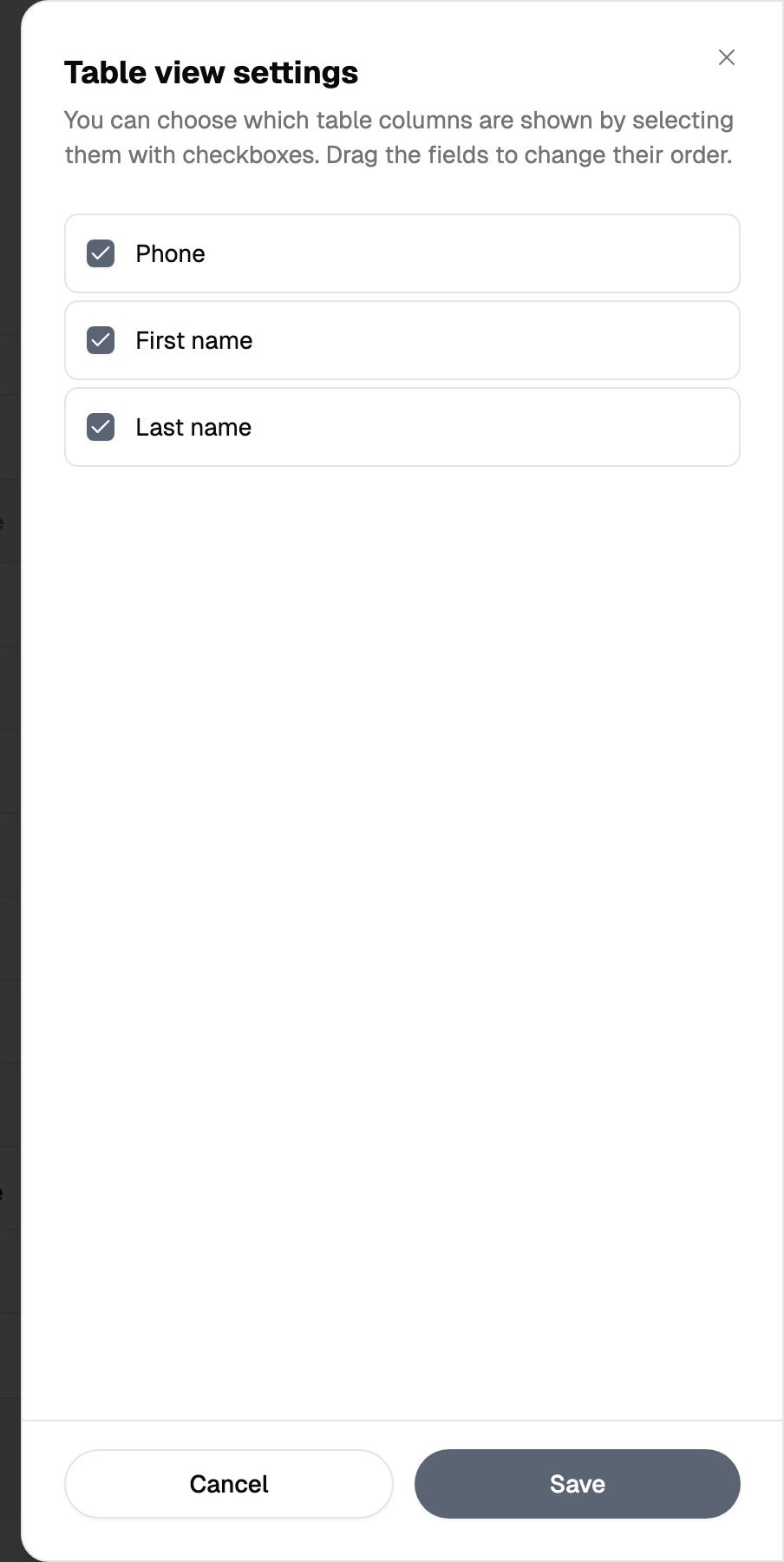
The table shows the columns you choose. This is a view setting and it changes nothing in the data: a hidden column keeps its values, and a campaign still substitutes from it.
Where the books are used
Books are the source of recipients everywhere in Blackbox Business:
- A bulk SMS, Viber or RCS campaign — recipients come from here.
- The scheduler — exactly one book, with a date column in it.
- Number checking and cleaning — a saved list can be taken instead of pasting numbers.