Keeping the lists in order
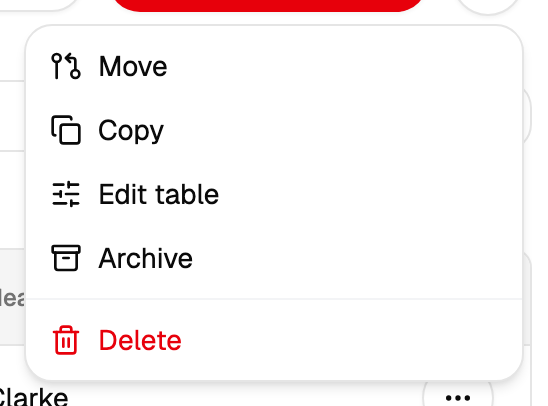
Everything on this page is done from the menu of a book in the tree on the left.
Groups
A group is a book nested in another book. Nesting is done by moving: a book is given a parent, and from that moment a campaign over the parent includes it.
The destination list offers the books this one can move into, so any place it shows you is a valid one.
Renaming
The name is a caption and nothing else. Campaigns already sent keep their own record of who they went to, and renaming a book leaves those reports as they are.
Copying
Copying makes a second book with the same contacts in it.
The button starts the work and gives back its number straight away, while the result arrives a little later — the progress and the outcome appear on the same screen. Keep the tab open until it reports that it is done, and press the button once: a second press starts the work a second time.
The copy is independent from the moment it is made: later changes to the original stay in the original.
What the archive does
The archive tidies the tree. An archived book steps out of the way and keeps everything it holds: it is still offered in the recipient picker, and a campaign over it goes out exactly as before.
Put their numbers in the black list. That list is the switch that keeps messages away from them, whichever book they are in.
Deleting
Deleting a book deletes its contacts, and deleting a book that has groups deletes the groups with everything in them. Deletion is final, so the cabinet asks for confirmation — and an export beforehand leaves the list in your own hands.
Reports of campaigns already sent stay where they are: they hold their own copy of who received what.