The campaign card
Opened from the campaign list, on the same address. Everything known about one campaign.
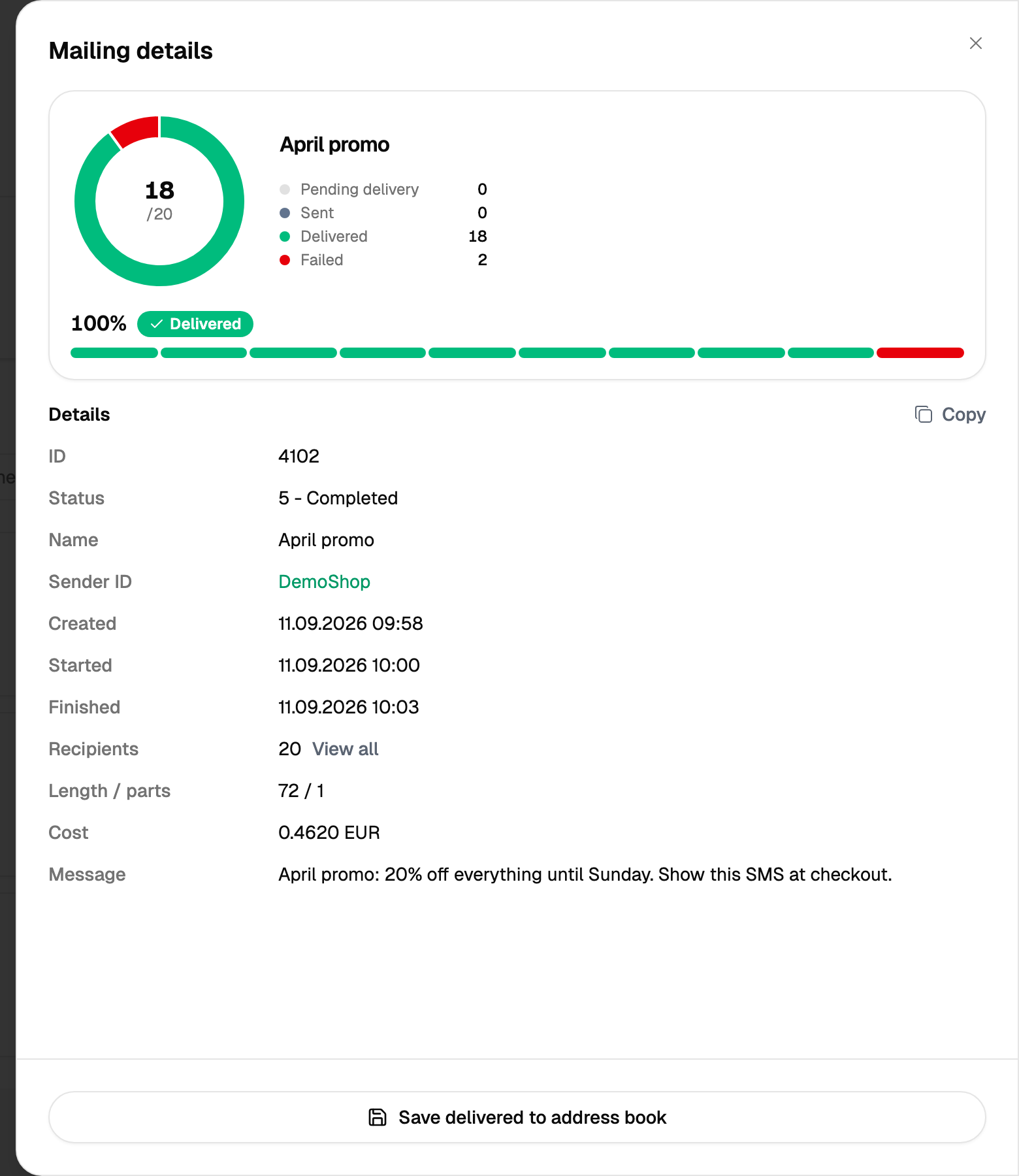
Two statuses, each about a different thing
A campaign can show Completed while a particular message inside it is still on its way, and it can show Sending while some messages are already delivered. Reading one status as the other is the usual reason a report looks wrong.
The breakdown by status underneath answers the useful question: not "what is the campaign doing" but "how many of these people got the message".
The recipients
The card lists who the campaign went to and what happened to each. A single message has one line here; a bulk campaign has as many as it had recipients.
Two marks appear next to a recipient where relevant.
- HLR — the number was checked before sending.
- MNP — the number has been ported to another operator than its prefix suggests.
A struck-through gateway means the message took a different route: the HLR check found the number unreachable, and that route was left aside.
What you can do with a campaign
The card offers the actions that fit the state of the campaign: one that is still going can be paused, resumed or deleted, and one that has finished sending keeps its rows for the report.
Saving the delivered recipients
The card can put everyone who actually received the message into an address book. This is the cheapest way to build a list of reachable numbers out of a campaign you have already paid for.
The report for one campaign
A campaign can be exported on its own, either in full or with the delivered recipients only.
The button starts the work and gives back its number straight away, while the result arrives a little later — the progress and the outcome appear on the same screen. Keep the tab open until it reports that it is done, and press the button once: a second press starts the work a second time.