Invoices and acts
Screen: Invoices, address /finances/invoices. Every document Blackbox Business issues for you
is kept here, and each one can be downloaded again at any time.
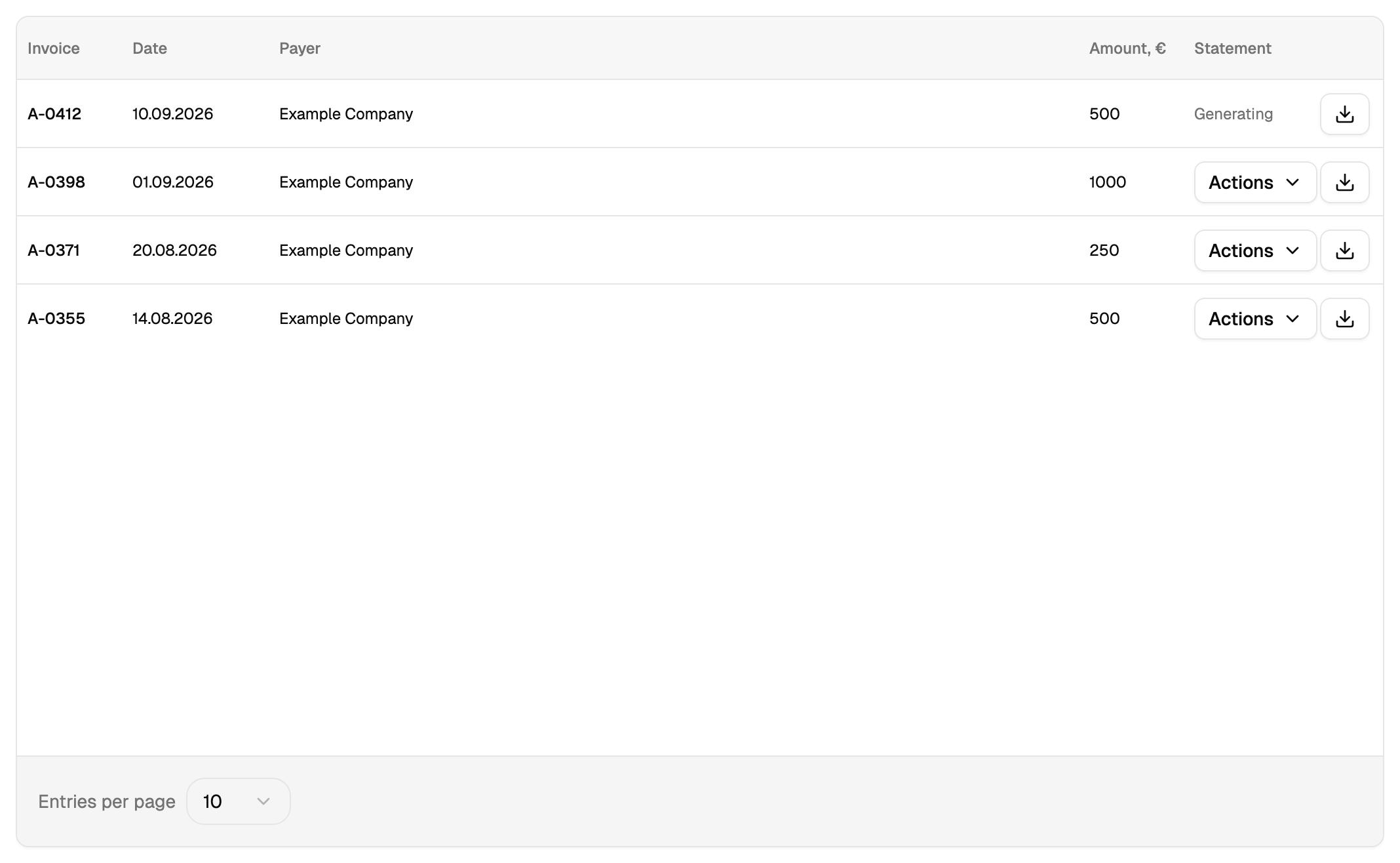
Two different things on one screen
| Document | What it is | Format |
|---|---|---|
| Invoice | A request to pay, issued before the money moves | |
| Act or statement | A record of what was provided, issued after | XLS |
These are two different documents. An invoice is what you take to the bank; an act is what your accountant files. The screen lists both, and the format is the quickest way to tell them apart.
Finding and downloading
The list is searched and sorted by date. A newly generated document may show as being formed; that state passes on its own, and the download appears when the file is ready.
How to tell that an invoice is paid
The answer is in the financial report: an invoice is paid when a matching arrival appears there, in the debit column, with the corresponding purpose. That arrival is the moment the money is on your balance.
Electronic signing
A document that goes through electronic document exchange carries a link to it, and the state of the signing is shown next to the document. The signing itself happens in the exchange system.
The border with topping up
An invoice is created on the top-up screen and found here. This screen is where you search for a document and download it.