Sending one message
Screen: Single message, address /create-sms/single, or Send SMS →
Single message in the menu.
One message to one number, typed by hand. There are two ways to send it, and they differ only in how much they ask.
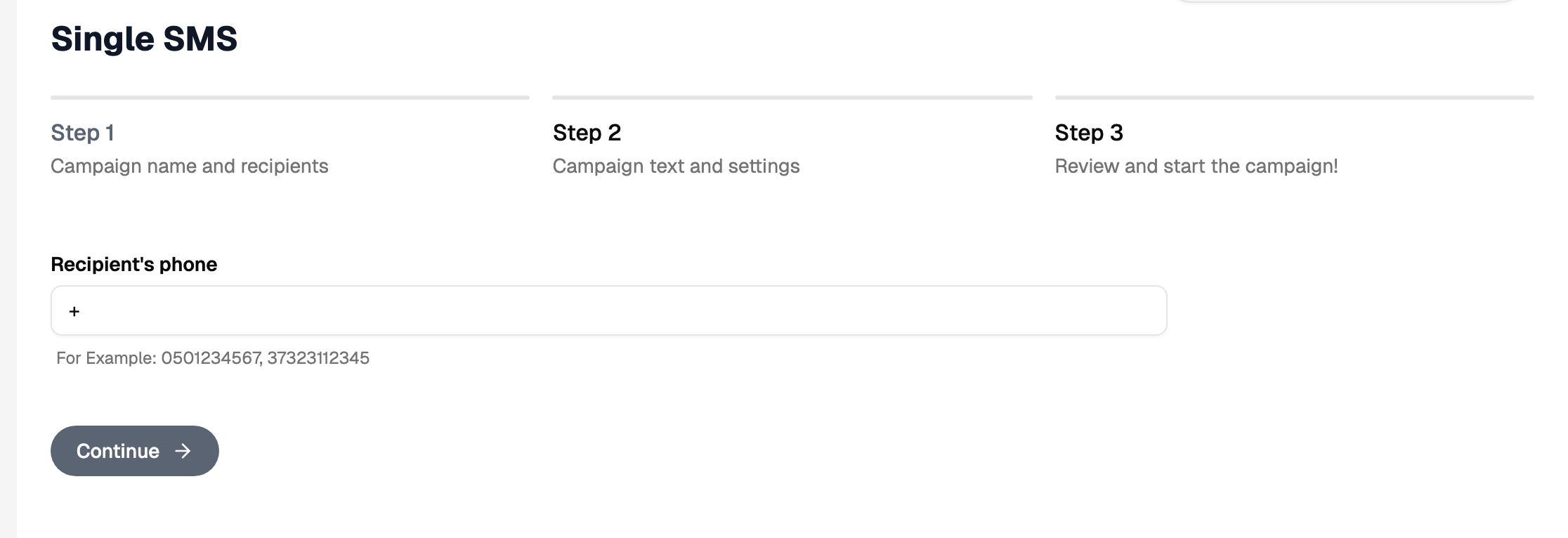
The wizard and the quick form
The wizard on this screen has the same three steps as a bulk campaign: recipient, text and settings, when to send. The Quick single SMS block on the home screen is the same sending without the steps — recipient, sender name, text, send.
Use the quick form when you just need the message to go. Use the wizard when you need one of the settings from the second step, such as a short link or a delivery notification.
What belongs to a bulk campaign
Variables in the text, an even spread over time, a campaign lifetime and an unsubscribe link are settings of a campaign: they work off an address book and a list of recipients. When the message needs one of them, open the bulk form — the same three steps, with a book in place of a typed number.
Checking the text on your own number
A message to your own number, sent to look at the sender name and the text, goes out like any other: at the ordinary price, and into the reports along with the rest. It is the fastest way to see exactly what the recipient will see.
The button starts the work and gives back its number straight away, while the result arrives a little later — the progress and the outcome appear on the same screen. Keep the tab open until it reports that it is done, and press the button once: a second press starts the work a second time.
The number
The number is typed in international format. The form checks the format before it lets you continue, so a mistyped number is caught on the spot.