Message templates
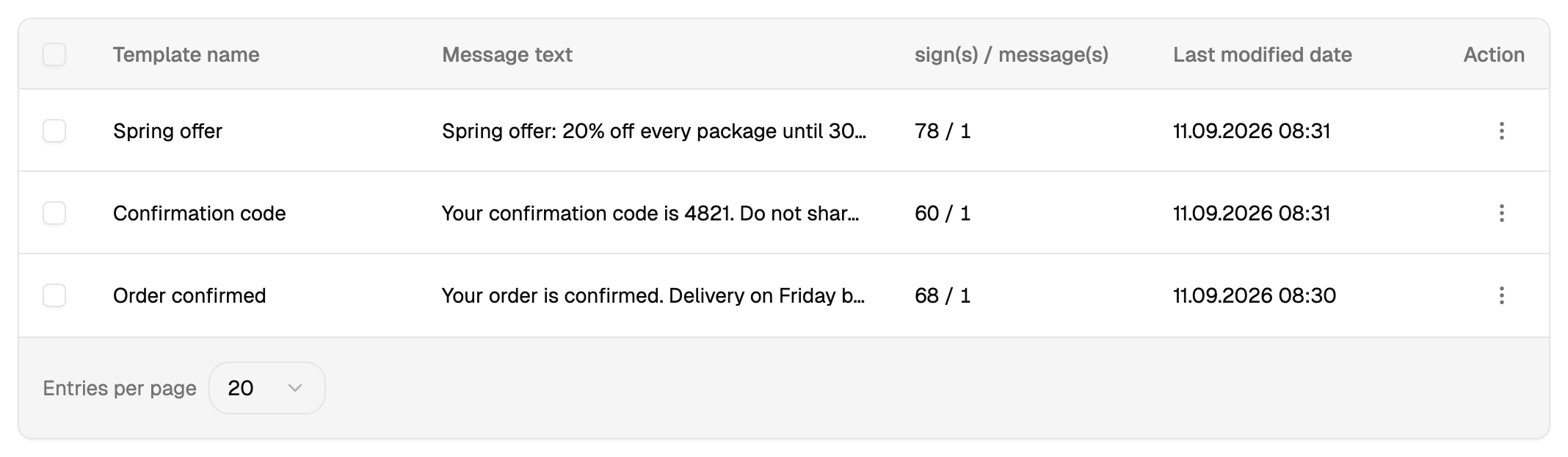
Screen: Templates, address /templates/sms. The old address /create-sms/templates
leads here.
A template is a text you have saved so you do not type it again. That is all it is.
Two kinds on one screen
Your own are the ones you saved, from this screen or straight from the send form with the "save as template" switch. You can edit and delete them.
Ready-made are the categories that come with Blackbox Business — greetings, reminders, notices. Insert one and edit the text afterwards; the category itself keeps its wording for the next time.
Inserting
In the send form the template is inserted into the text field, and from that moment it is ordinary text: change it, add variables, cut it down. The template is not linked to the campaign in any way, and editing the template later does not touch campaigns already sent.
Your typing, and only that. The price and the delivery stay as they are, and an approved sender name is needed either way: a campaign written by hand and one inserted from a template go out exactly the same.
An SMS template and a Viber template are different things
A Viber template is a different thing with a similar name: it is a pattern your outgoing message is matched against, it goes through an approval, and it changes the price. A message template does none of that.
Where the screen lives
Templates is an entry in the left menu, under Settings. Your own list fills up as you save texts from the send form, and the form offers them back wherever you type a message.